How to List an Item or Service (Individual Seller)
Anyone can open a free personal store on Core Market. The first time you visit "Sell," a store is created for you automatically under your name.
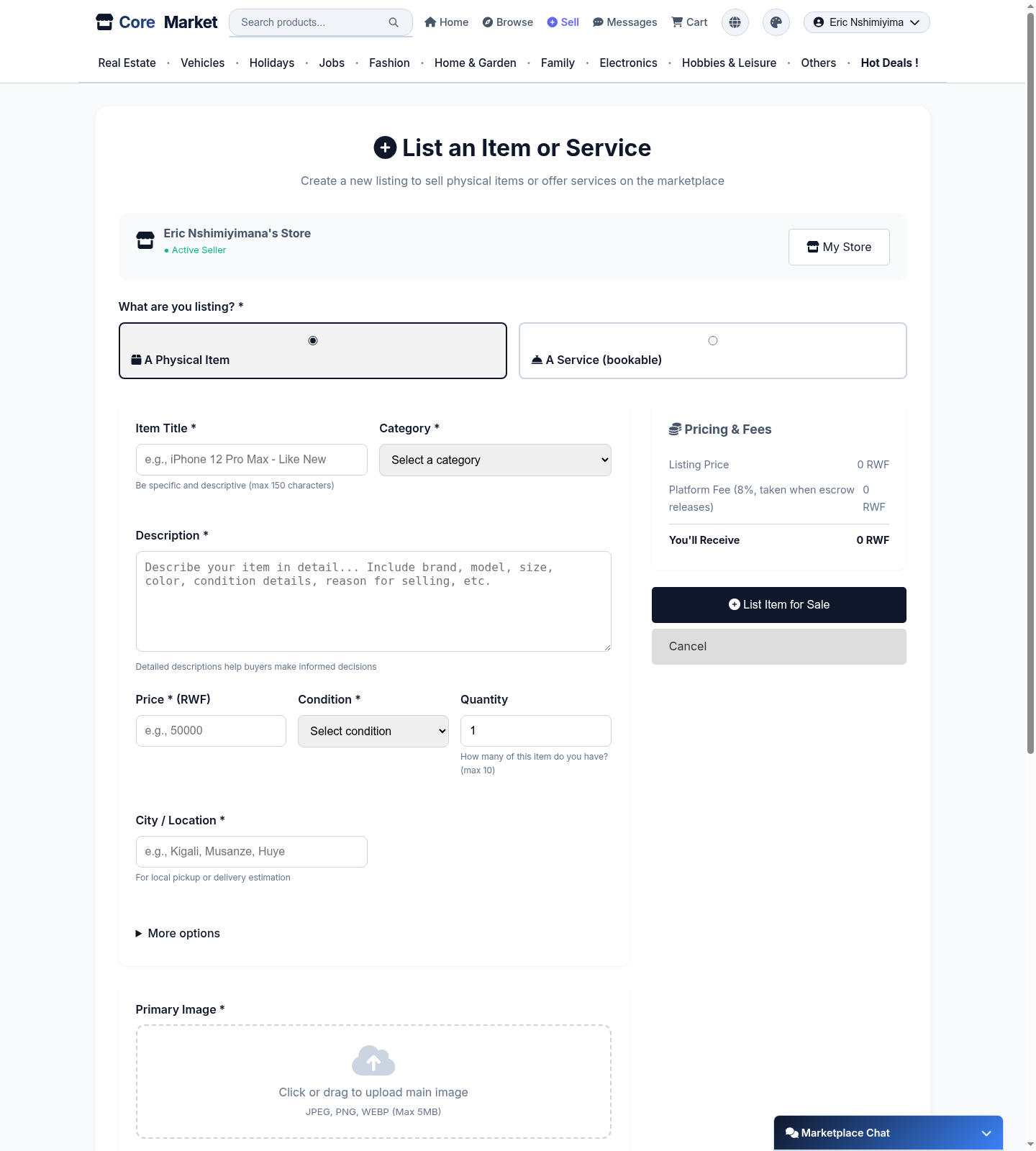
Go to Sell
Click Sell in the top navigation. If this is your first listing, a store is created for you automatically - you'll see its name and "Active Seller" status at the top of the form.
Choose Item or Service
Pick A Physical Item for something you own and want to sell, or A Service (bookable) for something like a repair job or cleaning visit that customers reserve a time slot for.
Fill in the listing details
Give it a clear, specific Item Title, a Category, a detailed Description, the Price, Condition, and how many you have. For services, you'll set your available days/times instead of quantity.
Check the pricing breakdown
The sidebar shows your listing price alongside any platform fee, and what you'll actually receive - no surprises at payout time.
Add a photo and publish
Upload a primary image (JPEG, PNG, or WEBP, max 5MB) and click List Item for Sale. Your listing goes live on Core Market immediately.