Core Market
How to Confirm Item Receipt
For purchases from individual sellers, confirming receipt is the final safety step - it tells the platform your order arrived as expected.
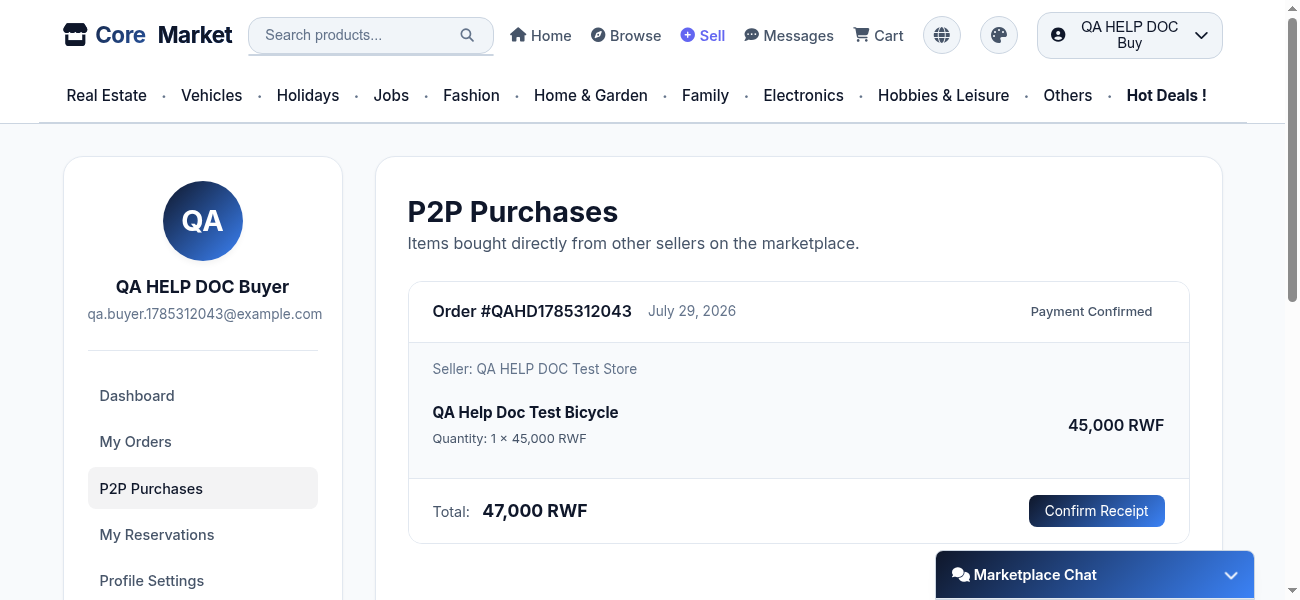
Go to P2P Purchases
In your account, open P2P Purchases to see everything you've bought from individual sellers.
Wait for payment confirmation and shipping
Once your payment proof is confirmed by the seller and the item is on its way, the order shows a Confirm Receipt button.
Check the item, then confirm
When the item arrives and matches what you ordered, click Confirm Receipt to mark the order complete.
If something's wrong
Don't confirm receipt yet - message the seller directly first (see "How to Message a Seller") to sort out a damaged, missing, or incorrect item.